Submitted by Chad Shmukler on
The unofficial iPhone development community has contributed numerous applications which serve to make your life easier and/or make you more productive. While the subject of this HOWTO, vWallpaper, does neither, what it does do is offer up some eye candy to wow your friends and neighbors with.
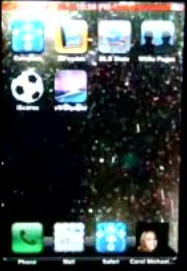
vWallpaper allows you to replace your boring old static wallpaper with video wallpaper. That's right, wallpaper that moves. The good news is, if
your phone is jailbroken, getting video wallpaper up and running is pretty foolproof.
The vWallpaper application is available via Installer, provided you have the source http://i.danstaface.net added. If not, simply add that source to your Installer source list and refresh your sources.
Then, simply follow these easy steps:1) Install vWallpaper via Installer
2) Launch vWallpaper from your Springboard
3) Set "Enable Video" to ON
4) Select a wallpaper from the list provided, or leave the default
5) Choose "Restart Springboard" from within vWallpaper
Newest iPhone FAQs
Once Springboard restarts, slide to unlock, and voila - video wallpaper on the iPhone.
Adding custom videos is no trouble either. Place videos you would like to use for video wallpaper into /Library/Skrew/Videos (videos that match the size of the iPhone's screen resolution look by far the best) and then just hop back into vWallpaper to set your new video wallpaper.
Check out the video below from YouTube which demonstrates the use of video wallpaper on the iPhone.
Comments
iPhone replied on Permalink
It looks great on the video !
Anonymous replied on Permalink
Downloaded Vwallpaper but when I try and launch it from springboard it pulls up the vwallpaper loading screen then jumps back to the springboard. Any suggestions? Thanks
Anonymous replied on Permalink
What video format does vWallpaper is belonged to? They are .mov, .mp4, or Motion JPEG (M-JPEG)? Could I create a video of .mp4 like vWallpaper for my iphone 4 with video converter which offer edit option for users like ifunia hd video converter(not handbrake)? What I want to say can I use .mp4 video as wallpaper just like vWallpaper done.
stonee replied on Permalink
What video format does vWallpaper is belonged to? They are .mov, .mp4, or Motion JPEG (M-JPEG)? Could I create a video of .mp4 like vWallpaper for my iphone 4 with video converter which offer edit option for users like ifunia hd video converter(not handbrake)? What I want to say can I use .mp4 video as wallpaper just like vWallpaper done.