Tethering
Web App Activates iPhone Data Tethering (No Jailbreak)
The folks over at Tether.com have been working hard to provide their smartphone tethering service over the web, ever since the iTether app was removed from the App Store. Now iPhone users can make their devices into a personal hotspot by simply logging into their tether account via a web browser, with no jailbreak or other iOS software required.

Tethering makes it possible to share your iPhone's data connection with other devices, such as notebook computers. Cellular carriers charge extra for the privilege, although they also increase the amount of monthly data available to the subscriber. Over the years, jailbreak apps have appeared to take advantage of tethering without paying extra monthly fees.
AT&T Cracking Down on iPhone Tethering Sneaks
The party is officially over. iPhone owners who are using their devices as a cellular modem without permission from AT&T are about to see a change in their monthly bill. The wireless provider is about to act on the warnings it sent to users in violation of its terms of service earlier this year.

AT&T currently requires a $20 tethering plan to allow the iPhone to share its cellular data connection with other devices. The tethering plan provides 2 GB of data on top of the 2 GB Data Pro plan costing $25 monthly. Here's the catch: those subscribed to the $30 unlimited data plan aren't allowed to sign up for tethering at all.
AT&T Warns iPhone Users: Stop Unauthorized Tethering
AT&T has thrown down the gauntlet, sending a limited number of subscribers warnings via email and SMS to stop unauthorized tethering. The wireless carrier plans to automatically sign up users for its DataPro and Personal Hotspot plans if they continue to tether their devices without contacting the company.

The move is a first for AT&T since they launched official Personal Hotspot support on March 11 with the release of iOS 4.3. Prior to this, iPhone users could only connect one computer to the iPhone. The new service makes it possible to share your 3G data connection with 3 devices at the same time via WI-Fi, and connect to others with Bluetooth and USB.
AT&T Adding iPhone Mobile Hotspot, More Tethering Data
AT&T must be feeling the heat when it comes to the upcoming Verizon iPhone. Without exclusivity the wireless company will find itself competing for every last iPhone customer in the US. Verizon made waves when it announced that the CDMA iPhone would offer a personal hotspot for up to five Wi-Fi devices.

AT&T is set to follow suit and has announced that it's working with Apple to bring the feature to the iPhone with iOS 4.3. Developer beta versions of the next generation firmware have indicated the personal hotspot is indeed on its way.
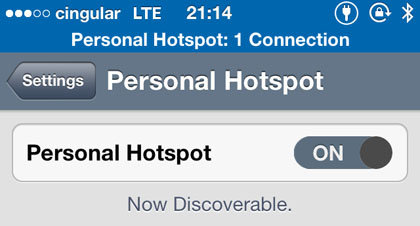
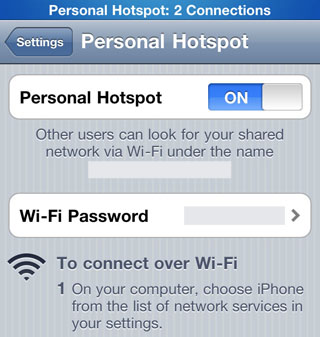
Personal Hotspot Brings Native Tethering to iPhone iOS 4.3
Some AT&T iPhone customers were shocked to see that the Verizon iPhone includes a Wi-Fi hotspot for up to five devices. Now that Apple has released the latest developer beta of iOS 4.3, it looks like all iPhones will be getting the feature. According to a report in BGR, Personal Hotspot is listed right under Wi-Fi under the Settings menu.

AT&T has not stated whether or not they plan to support the feature. For its part, Verizon hasn't mentioned data plan pricing yet, or whether or not tethering will cost extra. The app featured on the Verizon iPhone is actually native to iOS 4.2.5, the firmware running on the Verizon iPhone.
Router Makes iPhone Into a Wi-Fi Hotspot (No Jailbreak!)
What if you could just plug your iPhone directly into a router with a USB cable and share the 3G data connection with every Wi-Fi device within 200 feet? Now you can, with Nexaira's Business Class 2 tethering-ready router. The router is compatible with the iPhone 4, iPhone 3GS and iPhone 3G.

Of course, if your iPhone is not jailbroken, you'll need to enable official tethering with your cellular carrier. AT&T offers iPhone owners tethering for $20 per month. With tethering, simply plug in the Nexaira BC2 router, connect the iPhone via the rear USB port and you're all set. Anywhere with power and a 3G signal becomes a Wi-Fi hotspot.
How to Activate iPhone Tethering With Firmware 3.1.2 (3G and 3GS)
Now that Geohot has released the blackra1n RC3 jailbreaking tool, activating tethering on an iPhone 3G or 3GS is a snap. Many international users already have tethering, meaning they can share their iPhone data connection with a computer. AT&T does not offer this option in the US.
Fortunately it's never been simpler to tether if your iPhone is running the latest firmware (3.1.2). Follow these steps to activate tethering, just keep in mind you are breaking all kinds of agreements with AT&T and Apple in the process.
How to Activate Tethering on iPhone OS 3.0
AT&T does not currently allow tethering on the iPhone even though Apple's iPhone OS 3.0 includes the feature. The company is still deciding what a tethering data plan for iPhone would cost and how it would be structured.
Tired of waiting? If you have an iPhone 3G or 3GS running OS 3.0 and a computer running iTunes 8.2 on Mac OS X here's how to activate tethering. You will be able to connect your computer to the AT&T data network using USB or Bluetooth via your iPhone.
Will AT&T Offer An iPhone Tethered Data Plan?
In the brief hours that Nullriver's NetShare iPhone app was available on the iTunes store it generated quite a buzz. Apple quickly had the application pulled, even though Nullriver claims it never violated Apple's developer guidelines. Some have cited AT&T's terms of service as the likely reason for Apple's action. According to new rumors, a tethering solution may be on the horizon for iPhone users with no interest in jailbreaking their phones.

An online forum user allegedly received a brief email from Steve Jobs himself, stating that Apple was currently discussing iPhone tethering with AT&T. The carrier already offers tethered data plans for Blackberry devices on their network at an additional cost of $30 per month.
Hacked iPhone Tethers EDGE via WiFi
Mostly because it's relatively not that exciting, we've been a bit lazy in getting this story posted. The other day, via a new third party application called srelay (a SOCKS proxy server), you can now tether your iPhone EDGE connection to your laptop or desktop via WiFi. Yes, it could come in handy in a pinch, but sharing an EDGE connection with a full fledged PC isn't nearly as exciting as it would be if the iPhone were 3G.
Of course, this application and functionality is only available to you if you've hacked your iPhone. Like all other iPhone hacks, you need to start with the jailbreak hack. Once completed, you can then install srelay on your iPhone, set up a direct computer to computer WiFi connection, and off you go. The video below provides a HOWTO and demonstration of the process.