Video
Hot iPhone 5 Renderings Based on Leaked Parts
These may not be the first iPhone 5 mockups to appear, but they are some of the best. Not only this, but the photo and video below are based on leaked parts and other information from sources across Apple's supply chain and beyond. The images come to us thanks to Bryce Haymond at Blackpool Creative.

The devices have been slimmed down from the iPhone 4S profile, and the front-facing camera has been moved to the center of the earpiece. The display has been extended to a 16:9 ratio, with space for an additional row of icons on the home screen.
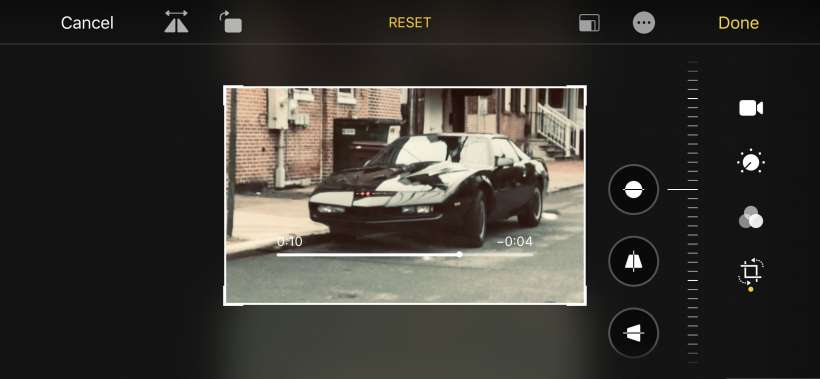
How do I turn a video into a picture on my iPhone?
You can turn a frame of video on your iPhone into a still photo by taking a screenshot. Just pause the video where you want to take the picture and quickly press the home and sleep buttons simultaneously.
The screen will turn white and the shutter release sound will be heard (If you hold the buttons too long the iPhone will go into sleep mode). The image will appear in your camera roll.
iPhone 4S Untethered Jailbreak Only a Few Days Away [Video]
Chronic Dev Team member Dustin Howett posted a video of a jailbroken iPhone 4S on YouTube a few days ago. The video shows the A5 device running Cydia after it has been powered off and on. Howett also proves that Siri still functions by asking her to check the weather.
iPhone hacker and Corona developer pod2g republished the video on his blog saying that a release is only a few days away. It only took pod2g nine days to release his A4 untethered jailbreak after he posted a similar video of a jailbroken iPhone 4 on YouTube.
Was The Avengers Filmed With an iPhone?
Cinematographer Seamus McGarvey raised a lot of eyebrows when he told IFTN.com he used an iPhone to film some scenes for The Avengers.
“The beauty of photography or cinema is that you make every choice based on the content at hand. On The Avengers, I did a couple of shots on the iPhone and they are in the movie. In fact, they are in the trailer! I understand that sometimes there is no choice and you have to go for the cheapest option, but if you are limited for choice, you can still make poignant decisions that will effect the look of the film."

The Avengers is Marvel Studios most ambitious film to date, rumored to have cost over $200 million. The studio probably wasn't very happy when their director of photography told the world it was filmed on a cell phone. McGarvey later clarified he only shot one mobile phone POV using an iPhone.
Video Shows Siri Working on iPhone 4
The mystery as to why Siri is exclusive to the iPhone 4S just got a little more interesting. 9to5Mac ported the voice command system from the iPhone 4S to the iPhone 4. In the video below, developer Steven Troughton-Smith demonstrates how Siri looks on the device.
9to5 claims it can recognize spoken commands and speak back to the user. The only problem is Apple's servers are not authenticating commands from the iPhone 4 hardware. Apple fans have been debating whether other iOS devices like the iPad 2 can handle Siri's AI. 9to5's discovery proves there are no technical reasons for Siri being exclusive to the iPhone 4S.
Park4U iPhone App Remotely Parks Your Car [Video]
I keep trying to think of a scenario where I would want to park my car while standing next to it. I guess an automatic parking app could come in handy for tight fits that offer little door room. 9to5Mac discovered a video of auto-parts supplier Valeo parking a car using nothing but an iPhone.
At the end of the video, a Valeo representative stands outside a Volkswagen Sharan and parks it using an iPhone (:55 mark). The Automatic Park4U system doesn't control steering, that's left to several sensors that can parallel park with just 22 inches of clearance.
Tips: Get the Most out of FaceTime Calling on iPhone 4
Apple has launched FaceTime video calling with every iPhone 4. All that's required is a Wi-Fi connection and a person on the other end of the line running the same setup. There are many things you can do to get the most out of your FaceTime calling experience.

First of all, to test your setup and get some personalized instruction, you can call an Apple representative using FaceTime at 1-888-FACETIME. Make sure you're connected to Wi-Fi before you dial. When you're ready to video chat with your friends and family, check out this list of tips:
What size are HD video files on the iPhone 4?
Apple offers the iPhone 4 in two capacities, with 16GB or 32GB flash drives. Video recording quality has been vastly improved with the addition of full 720p resolution HD at 30 frames per second. This also means that more disk space is required to store video files.
12 minutes of HD video will take up approximately one (1) GB of space on your iPhone 4. This equates to approximately five (5) GB of file size for one hour of HD video recording.
The iPhone 4 also features a front-facing camera that records video at lower VGA quality.
What video formats are supported on the iPhone 4?
The iPhone 4 supports three video formats:
H.264 video up to 720p, 30 frames per second, Main Profile level 3.1
Audio: AAC-LC up to 160 Kbps, 48kHz, stereo
File types: .m4v, .mp4, and .mov
MPEG-4 video, up to 2.5 Mbps, 640 by 480 pixels, 30 frames per second, Simple Profile
Audio: AAC-LC up to 160 Kbps per channel, 48kHz, stereo
File types: .m4v, .mp4, and .mov
Motion JPEG (M-JPEG) up to 35 Mbps, 1280 by 720 pixels, 30 frames per second
Audio: ulaw, PCM stereo
File type: .avi
Will the iPhone 4 output 720p HD video using HDMI or a 30-pin dock connector?
UPDATE: The iPad 2 Digital AV Adapter is compatible with the iPhone 4. This will output 720p HD video to a compatible display with an HDMI connection.
It's not clear right now whether or not the Apple iPhone 4 will output 720p HD video to an external display. The camera is capable of recording at this resolution and videos can be exported from iMovie in HD.
Three options are currently available from Apple to output video but none of these support HD resolution: