Submitted by Bob Bhatnagar on
Ever notice how your iPhone reverts to a black background every time you plug it in to charge? Jailbreakers now have the option to continue displaying their lock screen background wallpaper thanks to a tweak called ChargingBackground.
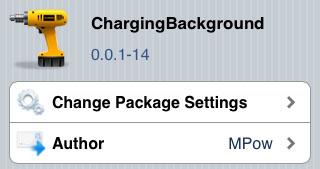
Once installed, iOS will stop displaying the black background behind the green battery meter. You can find the package in Cydia under Sections -> Tweaks or use the Search function to find the title. ChargingBackground is free and has no settings to configure at all.
The green battery fill meter is not affected by this tweak, it simply appears in front of whatever lock screen background you have already set up. The tweak comes to us from MPow on the BigBoss repository. Once the package is installed, simply respring and the battery charging screen will reflect the change. To revert back to the black background when charging, you can remove the package in Cydia under Manage -> Packages.
For help jailbreaking your iPhone so you can install tweaks like this one, check out our in-depth iOS 5.1.1 Absinthe 2.0 jailbreak instructions. The process is quick and easy.
Comments
Anonymous replied on Permalink
It doesn't work on iOS 6.1 on iPhone 3GS.
Any other tweak ?
lesebio replied on Permalink
Springtomize 2 can display the background when charging
(sprintomize\lockscreen\Always show WP)
Enjoy !
Anonymous replied on Permalink
I'm just wondering on which iPhones can you see the battery when you charge? I have a new phone so it's ios7 and I can't see it