iPhone apps
Save and Share Your Favorite Articles With Flipboard 2.0
Flipboard version 2.0 has been released for iOS devices (Android users will have to wait another month). The upgrade allows users to save their favorite articles, photos, audio and video in folders called "Magazines". Users can keep their magazines private or share them with family and friends via Twitter or email.

Creating a magazine is easy: Just tap the + button at the bottom of any article and write a title and description for your magazine. Your magazine and saved articles will then be stored under the "My Flipboard" panel in the Options Menu. To share a magazine, just tap its cover under the "My Magazines" section, and select share. This is a great tool for saving articles you don't have time to read or finish reading.
New Horror Movie Encourages Cell Phone Usage in Theaters
A new Dutch horror film called App aims to make cell phone usage in theaters socially acceptable by allowing users to interact with the movie via their smartphones. Moviegoers are encouraged to download a free app from the App Store which uses special technology to send messages and images to the audience in real time.

2CFilm, who produced the movie, is touting App as the first movie with a "second screen", and promises the film will stand alone for those who prefer to keep their cell phones turned off. However, the producers didn't explain what happens when people using the app start to receive outside calls or texts during the movie.
iPhone 5 Support and More in Pandora Update
With Apple working on its own streaming radio service through iTunes, Pandora continues to improve its leading software to stay ahead of the pack. Their latest iOS app, now version 4.0 brings iPhone 5 display support and a long list of new features to Pandora Radio for the iPhone, iPad and iPod touch.

Now Pandora makes it possible to share music directly with friends using social media. You can also find new music by seeing what others are listening to on the Music Feed. Pandora has also added full artist discographies and lyrics for all of the songs they play.
Top 5 iPhone Apps for Storms and Hurricanes
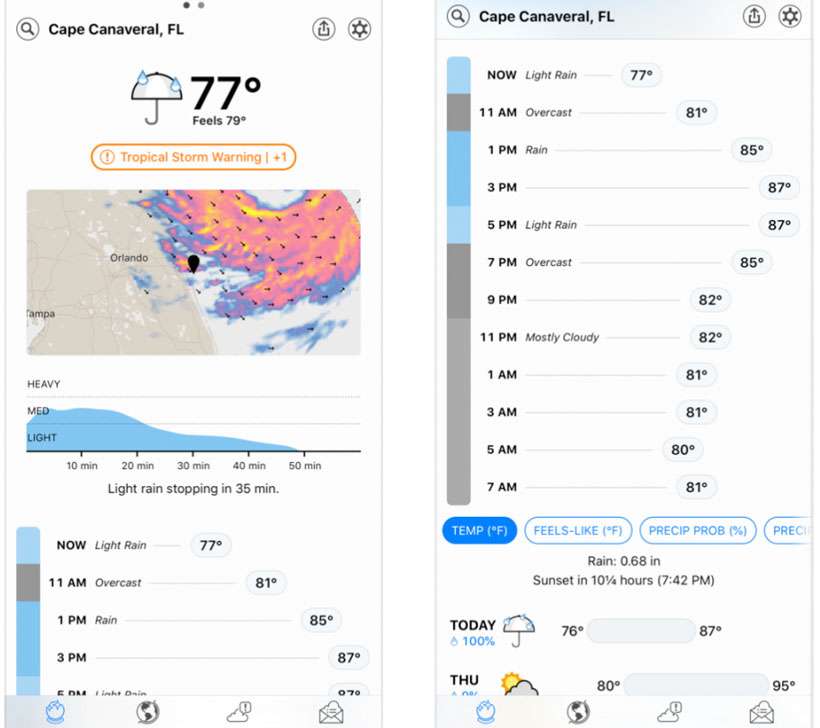
The east coast of the US is about to get clobbered by hurricane Sandy. For those iPhone owners who still have power, several apps can track the action and help you prepare to keep your family safe. In fact, these iOS applications can help during any emergency, natural disaster or dangerous weather event.

From locating shelters to learning first aid, most of the apps are free. Several have configurable alerts that will keep you informed without even having to open the app. Here's a list of the top 5 iPhone apps for storms and hurricanes. Keep that iOS device battery charged in case the power goes out!
New iPhone App Aims to Ease the Stress of Holiday Shopping
Customers who are familiar with the shopping frenzy that often surrounds highly anticipated new products, such as electronics, video games and toys, now have a valuable new tool to aid in their search for these hard to find items.

Online media and publishing firm Cignal Media LLC announced today the launch of whohas.it, a new online service that allows users to monitor and locate hard to find, out of stock or pre-release products. When paired with the whohas.it app, now available for the iPhone, iPad and iPod Touch, hopeful shoppers can receive realtime notifications when the product they are searching for arrives in stock or becomes available for pre-ordering.
Lonely Planet Country Guides Now Available on iPhone
Lonely Planet Travel Guides are no strangers to the iOS App Store. Now travelers have even more options, with the launch of six country guides to complement the already-popular city guides. Visitors to Australia, Italy, France, Spain, Costa Rica and Ireland can now grab a comprehensive guide for $9.99.

If you're already carrying an iPhone or iPod touch, this option makes it unnecessary to carry guide books and adds features that take advantage of your smartphone. GPS tracking linked with offline maps are provided for the entire country right down to individual neighborhoods.
1-Bit Camera App Snaps Retro iPhone Photos
Now you can warp back to 1998 and take 1-bit photos on your iPhone, much like the Game Boy Camera of yesteryear. The images are saved directly to your camera roll in stunning 320 x 480 resolution black and white. Officially, that's more than 150 kilopixels, or by a more familiar measure 0.15 megapixels.

To get the image just right, there are high and low contrast modes and two dithering options. When it comes to dithering, you can choose Atkinson (used on the original Mac in 1984) and Bayer (Nintendo Game Boy) for two distinctly unique styles. The flash or front facing camera can be used for those with newer iPhones.
iMessage Security Flaw Allows Texts to Lost, Wiped iPhones
You might think that wiping your lost or stolen iOS device would prevent another party from receiving messages via iMessage on the wiped device. As it turns out, Apple will be doing some work to issue a security update in future iterations of iMessage.

Users have discovered through an unpleasant trial and error process that the only way to stop text messages coming in via the iMessage service is to change your Apple ID. Wiping the lost iPhone and deactivating the phone number does nothing to stop a thief from receiving and reading your iMessages. These texts will be delivered to your old iPhone as well as the new one you just purchased to replace the lost device.
Why the Gmail iPhone App Will Beat iOS Mail
Google gets credit for Gmail's sharp mobile web interface on the iPhone, however despite several native apps available from the company we have yet to see Gmail for iOS. This could all be set to change, as a Gmail app is said to be on its way to iTunes. Google has not made any official comment about a possible iPhone and iPad mail application, but observers think the time is right considering Apple's launch of iOS 5 Notification Center.
Sources have told tech reporter MG Siegler that the Gmail iOS app has already been submitted for review and should be released shortly. Besides Gmail's powerful search capabilities, push notifications would make the app infinitely more useful for iPhone owners. Unfortunately reading Gmail on the iPhone currently does not provide a push option.
Kick to Pick App Helps Name Unborn Babies
With a little help from their parents unborn children can now choose their own names by using the Kick to Pick app. This is how it works:
You simply create a list of your favorite baby names by selecting from thousands of potential choices, place your iPhone, iPod touch or iPad over the mother's stomach, activate the countdown switch, and watch as your baby kicks to pick its name.
You can either choose to accept the suggestion or ignore it and make the baby pick again. I guess it's never too early for your child to learn that you don't always get what you want in life, but you will only have yourself to blame if he or she comes out of the womb a little PO'd.

Kick the Pick founder Nathan Parks said the idea came from a discussion about baby choices, and how they have no say in their own names. "What started out as a light-hearted chat soon turned into a series of app ideas," Parks said. "We're delighted with the finished product we've designed. It's light-hearted, good fun and a great way to involve the whole family in what is a key milestone of a child's life."