Customize iOS 7 Home Screen Badges
Submitted by Bob Bhatnagar on
Modifying the look of icon badges is a simple way to customize the iOS home screen. Now thanks to the jailbreak tweak MagicBadges, iOS 7 users can enjoy a fresh badge design by configuring a few options. Once installed, applying changes to icon badge numbers system-wide just requires a quick respring.
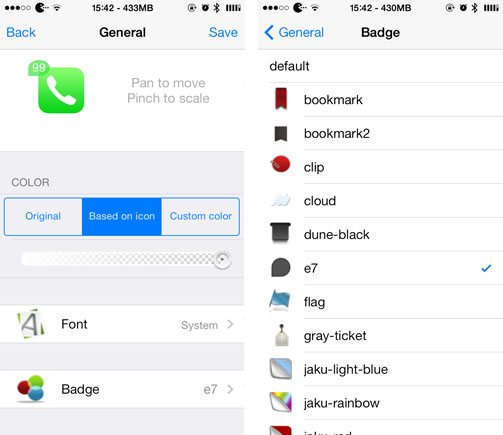
Aside from a toggle to disable the tweak entirely, the magic in MagicBadges happens under Settings -> MagicBadges -> General. Here iPhone users will find a live preview of what the badges will look like after changes are applied. Altering settings updates the preview immediately.