Tips

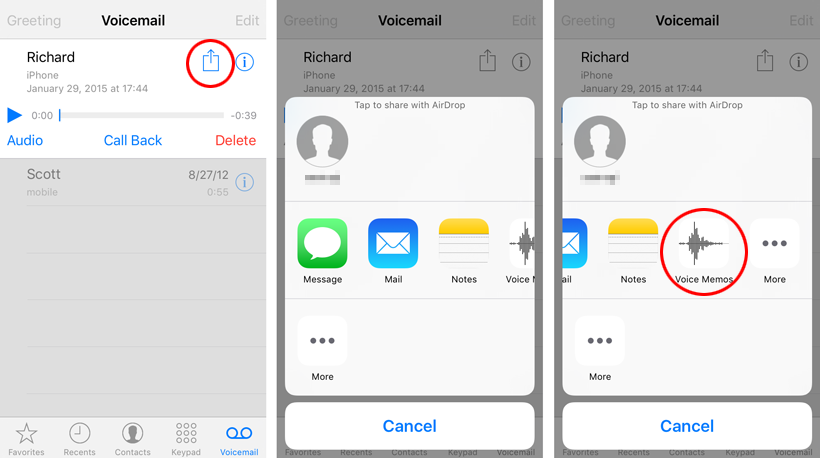
How to save and share iPhone voicemail messages

Visual Voicemail iOS 9

In the not so distant past, voicemail messages were trapped in audio mailboxes far away. The iPhone's visual voicemail changed how these messages were managed forever. Now iOS 9 delivers even more options when it comes to saving and sharing voicemails directly from your device. Any voice message can be saved, edited and sent using Voice Memos and more.
How to permanently delete iPhone visual voicemails

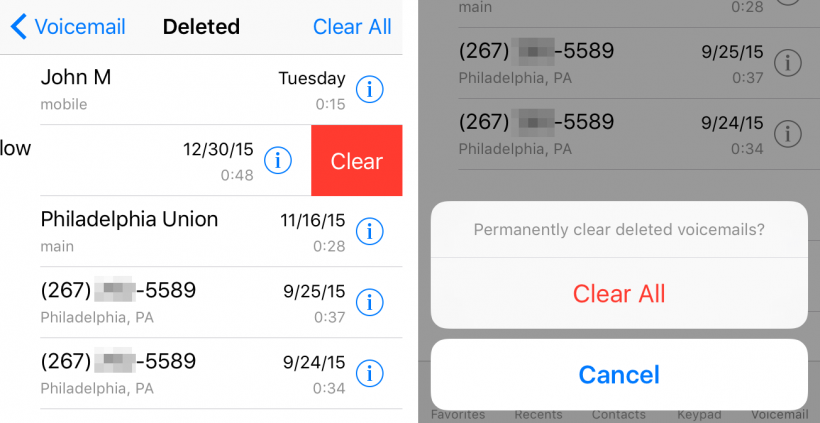
Clear Visual Voicemail messages

Some iPhone owners may not have noticed, but iOS automatically saves deleted visual voicemails. The deleted voicemail messages go into a folder, which is appropriately named Deleted Messages. Depending on the carrier, contents of Deleted Messages can be saved indefinitely. iOS does not provide a way to clear out this folder automatically, so it must be done manually. To free up more storage space on the iPhone, here's how to delete old voicemails once and for all.

How to fix battery percentage on iPhone 6s and iPhone 6s Plus

iPhone 6s battery meter

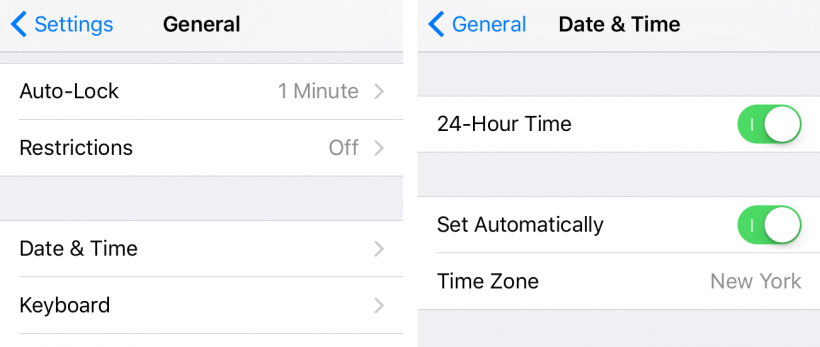
Some iPhone 6s users have noticed a perplexing issue where the battery percentage in the status bar does not change. Where normally iOS would display the current battery remaining, on affected devices power depletion does not register. Apple has recognized the issue as a software problem and the company is working on a solution. In the meantime, iPhone 6s owners experiencing this quirk can follow the steps below.

Take photos right from the home screen with 3D Touch

Point-and-Shoot 3D Touch camera

The shortcuts provided by 3D Touch on the iOS Camera app can speed up the image capture process. Installing the jailbreak tweak Point-and-Shoot brings this concept to a whole new level, bypassing the Camera app entirely. Options to Take Photo or Take Selfie will open a live viewfinder directly from the 3D Touch shortcut menu. The action takes place directly on the home screen, right next to the Camera icon.

How to use iOS 9 Split View on iPhone, iPad Air, iPad mini

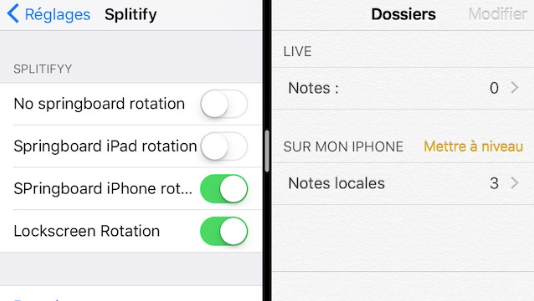
Split View iPhone

With Split View, the latest iPad models are capable of more powerful multitasking abilities. The iOS 9 feature puts two open apps side-by-side, so they can be utilized at the same time. The only drawback to Split View is that older hardware has been locked out of the feature. This includes the first iPad Air, iPad mini, iPhone, and iPod touch, all of which cannot run Split View. So how can one activate this feature on all iOS 9 devices?

Pages

Subscribe to RSS - Tips