Tips

Add the iMessage Typing Indicator to Status Bar

iMessage has brought more convenience and features to iOS users since Apple introduced the feature in October 2011. With the ability to communicate directly between iOS devices and OS X desktop computers, the service can save iPhone users text message charges as well.
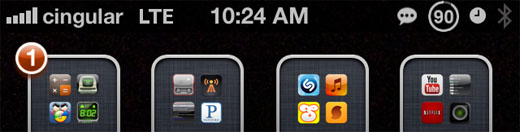
TypeStatus tweak Cydia iOS

One of the highlights of iMessage is an ellipsis (…) that appears in a grey bubble when the person you’re communicating with is typing a response. This makes the whole experience more like an instant messenger client with real-time chat. The jailbreak tweak TypeStatus takes this concept a step further.

Quickly Make a Call from the iPhone Messages App

Texting can be quick and convenient, but sometimes things are better accomplished on a phone call. When viewing a contact's text messages in the Messages app, iOS does provide a Call button which dials the person whose texts you're reading. The problem with the Call button is its location, all the way at the top of all the messages.

RaiseToCall tweak Cydia iOS

When there's a long thread of texts, it takes some time to scroll up to reach the Call, Contact Info, and Load Earlier Messages buttons. Thanks to the tweak RaiseToCall, this problem is solved on jailbroken iPhones by adding a feature found on the Samsung Galaxy S3.

How to Customize the iPhone Lock Screen

Those with jailbroken iPhones have become accustomed to customizing the look and feel of their devices. Now even the lock screen can be altered thanks to the tweak Vexil. Once installed, Vexil thanks you for purchasing the package by immediately modifying your lock screen.

Vexil tweak Cydia iOS

To change things more to your own personal liking, navigate to Settings -> Vexil. Here the tweak provides a plethora of options and settings, from the default lock screen look to the outrageous. You have control over the appearance of elements such as the Top Bar, Bottom Bar and more.

Control iMessage Read Receipts with SelectiveReading

Read receipts are a nice feature of iMessage, allowing others to know exactly when their outgoing messages are viewed. On the other hand, for some privacy-minded iPhone owners, giving everyone this information might feel a little too invasive. iOS does give the option to disable the feature for all messages.

SelectiveReading tweak Cydia iOS

SelectiveReading takes things further, providing more detailed options under Settings -> Messages -> Send Read Receipts. The tweak offers to ask whether or not to send a read receipt every time, although this could result in many dialog boxes for people who receive a lot of iMessages. The real gem is the Contacts Can Override feature.

Create Ringtones with App Sounds on the iPhone

Believe it or not, just 100 iPhone apps can contain thousands of individual sound effects and other audio files. AudioExplorer+ quickly and easily catalogs all of these different clips and makes it possible to preview the sounds, add them to the iPod library, and export them to the list of ringtones.

AudioExplorer+ tweak Cydia iOS

The first time AudioExplorer+ runs it will scan all of the App Store and Cydia app folders on your device for sound effects and music playable by iOS. Search time will vary depending on the speed of your iPhone, how many apps are installed, and how many sound effects are contained within each app. When complete, all audio files are neatly listed by app and can be previewed instantly.

Pages

Subscribe to RSS - Tips