Tips

Queue Up Songs the Right Way with Cyueue for iOS

A new tweak from Saurik, the creator of Cydia promises to simplify the process of queueing up songs when music is already playing. Cyueue improves the stock iOS Music app by adding the option to Play Now, Play Next, or Play Last whenever a song is selected and another song is currently playing.
Cyueue tweak Cydia iOS

Not only does this prevent the current song from getting cut off, but a special playlist named Cyueue is created to store upcoming songs that will play next. You can even use a shortcut and double-tap the row of the song you want to select. Double tapping the left, middle or right of the row will play this song now, next or later respectively.

Teach Siri How to Enter iOS Do Not Disturb Mode

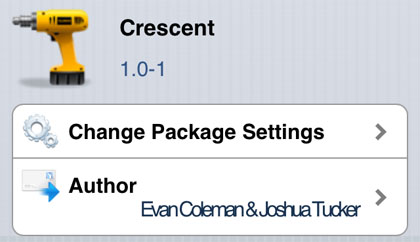
Recently the jailbreak tweak Flusterless was released, making it easier to enter Do Not Disturb (DND) mode from the iOS lock screen. Now thanks to Crescent, Siri can also be used to switch DND on and off with voice commands. Normally, the process of turning on DND involves navigating to Settings -> Do Not Disturb.

Crescent tweak Cydia iOS

Crescent supports all of the same languages Siri currently supports, and accepts commands such as "Enable Do Not Disturb" and "Turn Do Not Disturb Off". Tell Siri the abbreviated "Do Not Disturb" and the assistant will issue a stock response, promising not to disturb you and providing a link to the DND settings.

Add Guest Mode to iPhone, iPad with iPrivacy

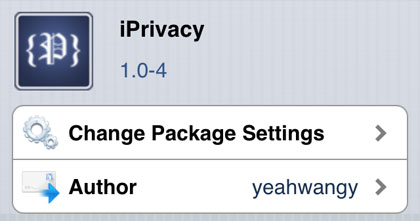
One thing you can't do with iOS is create multiple user accounts, which means there's also no built-in guest mode. With only one passcode, when you lend a child or someone else your iPad or iPhone they can access many personal items and accounts. The jailbreak tweak iPrivacy seeks to change this by providing an easy way to set up guest mode to limit access to certain items.

Privacy tweak Cydia iOS

Once installed, iPrivacy will prompt you to set up a PIN to access iPrivacy settings on the device. Then from Settings -> iPrivacy there are a variety of options. Guest mode can be activated from the lock screen using a special passcode, which differs from your normal passcode. It can also be activated at any time using an Activator action or SBSettings.

See Incoming Calls and Alerts with the iPhone Flash

Remember when your old cellular phone had a blinking status light? Some models even flashed when there was an incoming call or text. These days the iPhone is capable of giving you similar visual alerts when you aren't looking at the display.

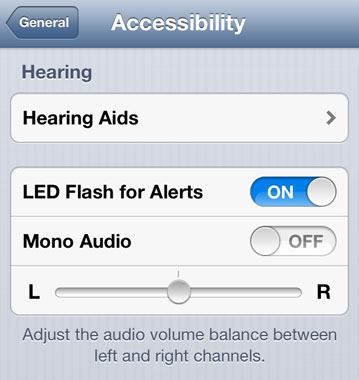
tip iPhone flash alert

Accessibility options are designed to help make the iPhone more useful to those with disabilities, of course many of the features are useful to anyone who owns the device. The iPhone flash can be used as an alert notification all on its own. Incoming calls can transform the LED on the back of the handset into a flashing beacon.

iPhone Tweak Automates Vibration and DND Settings

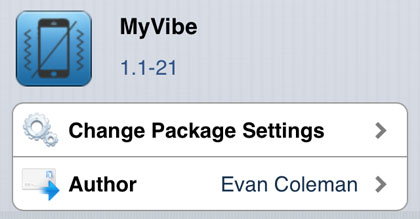
Wouldn’t it be great if your iPhone knew when you didn’t want to be disturbed automatically? Now the jailbreak tweak MyVibe offers several options to control Do Not Disturb (DND) settings and vibration based on the device’s position in space. The feature Upside Down Silencer automatically puts the iPhone in DND mode any time the device is placed face down on a flat surface.

MyVibe tweak Cydia iOS

This means silencing your iPhone temporarily is as simple as placing it down in the right position. There are other features of the tweak available from the Settings -> MyVibe menu. Table Vibrate is similar to the upside down silencer, however in this case the tweak will only stop vibration when the iPhone is horizontal.

Pages

Subscribe to RSS - Tips