News

Starbucks Adds Apple Passbook Support

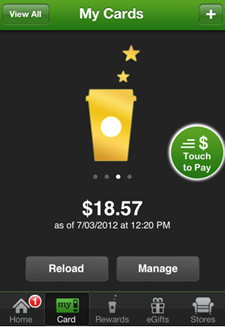
Much like Apple's iOS 6 Maps app, the mobile payments Passbook app is a work in progress. iOS users will eventually be able to keep thousands of store coupons, boarding passes and store cards in one place. For example, Starbucks Card owners can now pay for food and beverages through the Passbook app.
Passbook

Users can add their add their Starbucks Card to Passbook by accessing the “My Card” tab in the Starbucks application. The Starbucks app version 2.4 also allows users to check their balances, reload their cards, track their "My Starbucks Rewards" status and send eGifts to a friends.
Apple Patent Points to Wireless Lightning Adapter

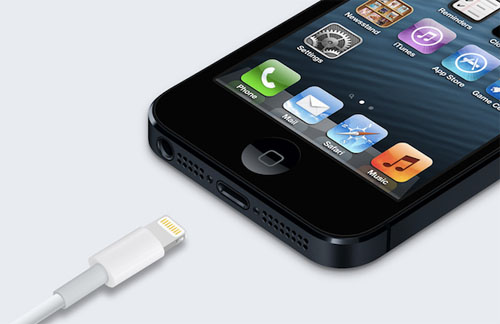
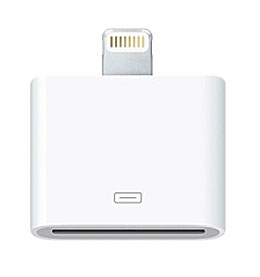
The Apple Lightning connector launched alongside the iPhone 5 has several advantages over its 30-pin predecessor, that is unless you own a variety of older accessories that aren't compatible. Besides a smaller footprint and simpler, reversible operation, the Lightning connector has also proven to be difficult for third-party manufacturers to replicate. The current adapter sold by Apple retails for $29.

wireless Lightning adapter

Apple could be working on an easier way to connect 30-pin dock accessories and the iPhone 5 if a patent revealed by Apple Insider means anything. The ability to wirelessly send data to any accessory would improve the functionality of the iPhone 5 with previous-generation docks.

New Case Turns Your iPhone Into a Swiss Army Knife

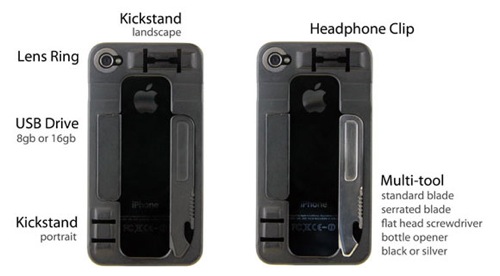
If you have you ever wished your iPhone was more like Batman's utility belt then you should check out the ReadyCase Indiegogo campaign. The surprisingly thin case (less than 3mm thick) not only protects your iPhone, but it also crams in a multi-tool, a USB memory stick, a kickstand, a headphone clip and three lenses for the iPhone camera.

iPhone

The case ships with a knife / screwdriver / bottle opener multi-tool, your choice of 8GB or 16GB memory stick (which doubles as a kickstand) and an integrated lens ring for attaching a variety of lenses (a macro lens, a fish eye lens and a wide angle lens) specifically designed to work with the iPhone. The case keeps is slim pocket-friendly design by allowing you to snugly attach the multi-tool and memory stick to the back of the case, and the headphone clip eliminates knotted cord headaches by keeping your EarPods tangle free.

Carrier Update Released for Verizon iPhone 5

Apple has released an iPhone 5 carrier update that will bring Verizon settings from version 13.0 to 13.1. The update comes as reports have surfaced that some iPhone 5 users' cellular data plans were ringing up data usage despite being connected to Wi-Fi.

iphone 5 carrier update Verizon

Installing the carrier update should fix the issue, and Verizon has announced it will not charge for any incorrectly clocked cellular data. Normally connecting to a Wi-Fi network ensures that no cellular network data is used. The update can easily be installed directly on your Verizon iPhone 5.

How to Jailbreak iOS 6 on the iPhone 4 / 3GS

Did you know you can jailbreak iOS 6 on A4 devices including the iPhone 4 and iPhone 3GS? Sure, it may be a tethered jailbreak, but for serious fans of Cydia this doesn't matter. As usual, if you are currently using any kind of baseband unlock you should steer clear of an iOS update and this jailbreak until further notice.

Cydia jailbreak app store icon

Before you begin, remember that this procedure will only work on the iPhone 3GS, iPhone 4 and iPod touch 4G. All of these devices have the Apple A4 processor. Start by updating your jailbreak-compatible iPhone to iOS 6. You can update your iPhone OTA or on your computer with iTunes. You will need to download the iOS 6 IPSW firmware file to your computer to jailbreak. Follow these instructions to jailbreak iOS 6 tethered:

Pages

Subscribe to RSS - News